Your complete guide to understanding and implementing workflow automation in 2026
What Is Workflow Automation? (Definition)
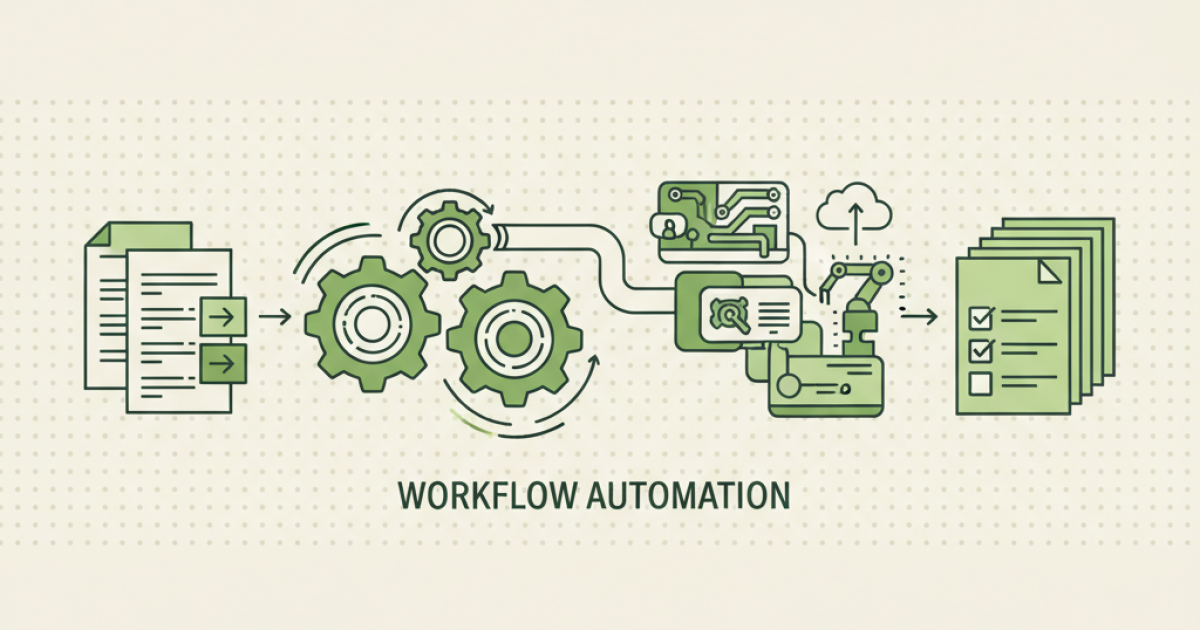
Workflow automation is software that automatically executes repetitive business tasks by connecting triggers, actions, and conditions across your existing tools without human intervention. Think of it as a digital assembly line for your business processes — when one thing happens (trigger), the system automatically performs a series of predetermined actions (workflow) to complete a task or move it to the next stage.
At its core, workflow automation eliminates the manual handoffs between different systems and people in your business. Instead of manually copying data from your CRM to your email marketing tool, or manually creating tasks when a new lead comes in, the workflow does it instantly and consistently. This isn't just about saving time — it's about creating reliable, scalable processes that work the same way every time, reducing errors and freeing your team to focus on strategic work that actually grows your business.
Why Workflow Automation Matters More Than Ever in 2026
The business landscape has fundamentally shifted. According to McKinsey's 2024 automation report, 87% of businesses now use some form of workflow automation, up from 31% in 2020. Here's why this matters for your business:
Time Recovery at Scale: Zapier's 2024 State of Business Automation report found that businesses save an average of 3-5 hours per day per employee through workflow automation. For a 10-person team, that's 30-50 hours of recovered productivity weekly — equivalent to hiring an additional full-time employee.
ROI That Actually Delivers: Forrester's 2024 automation study shows that businesses typically see 300-400% ROI within the first year of implementing workflow automation, with payback periods averaging 6 months. Unlike other business investments that take years to show returns, automation pays for itself quickly.
Competitive Necessity: Deloitte's 2024 business trends report reveals that companies using workflow automation are 2.3x more likely to outperform competitors in revenue growth. In 2026, automation isn't a nice-to-have — it's table stakes for staying competitive.
How Workflow Automation Works
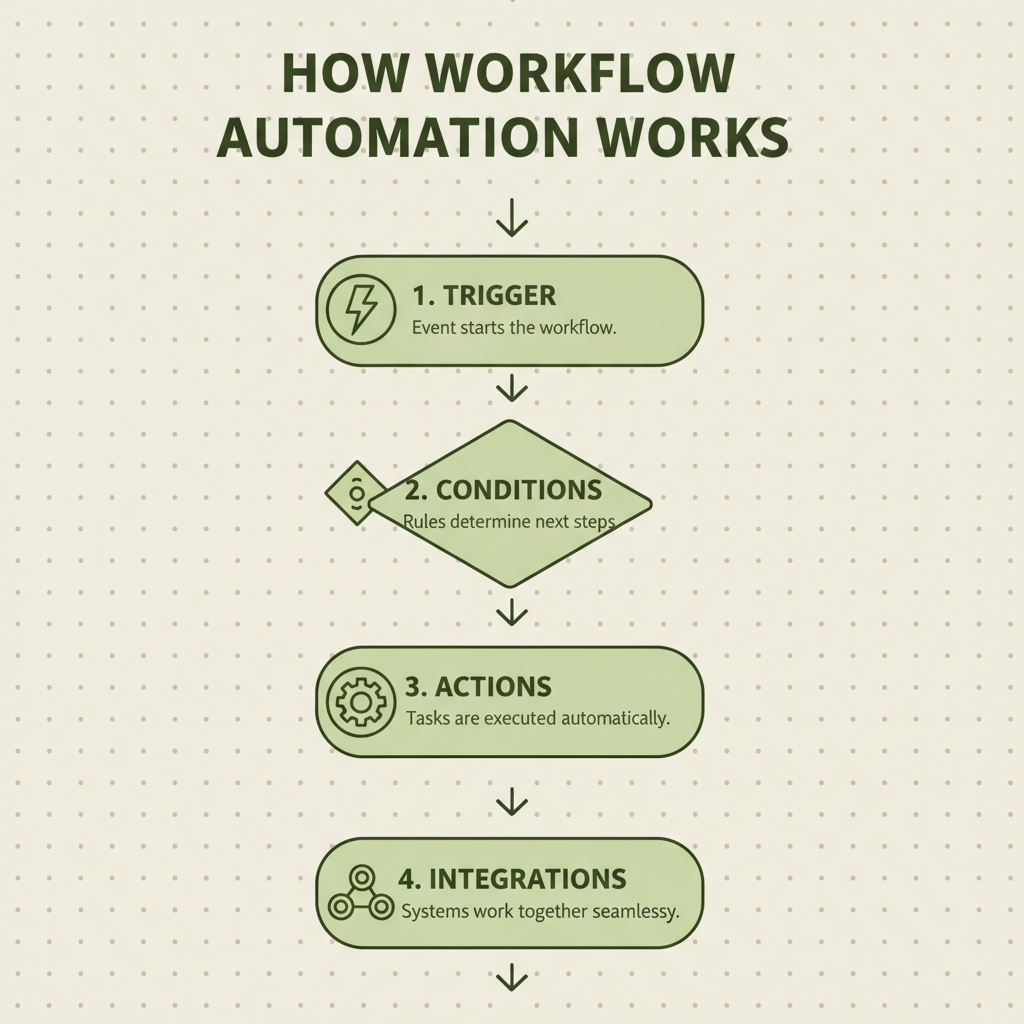
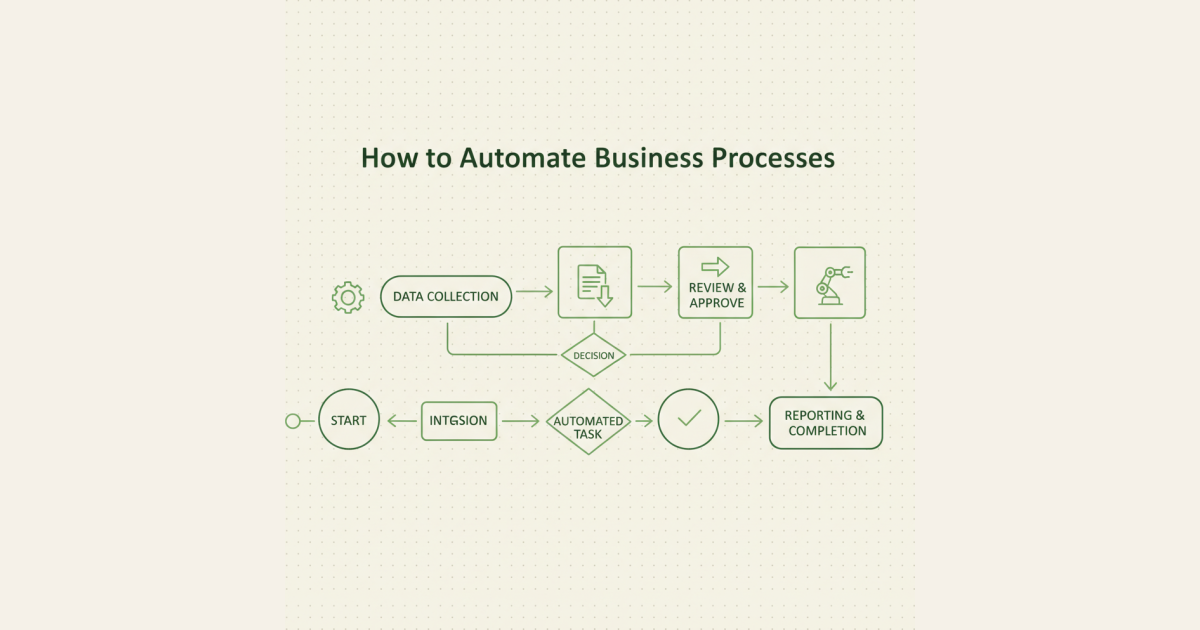
The four core components that make workflow automation possible, from initial triggers to final integrations.
Think of workflow automation like a digital assembly line for your business. Just as a factory assembly line moves products through predetermined stations, workflow automation moves information and tasks through predetermined steps across your business systems.
Every workflow has four key components:
Triggers are the starting points — something happens that kicks off the workflow. This could be a new email, a form submission, a calendar event, or a specific time of day.
Conditions are the decision points — the workflow checks if certain criteria are met before proceeding. For example, "if the lead score is above 50" or "if the order value exceeds $500."
Actions are the actual work being done — sending emails, creating tasks, updating databases, posting to social media, or generating reports.
Integrations are the connections between your different tools — your CRM talks to your email platform, which talks to your project management tool, creating a seamless flow of information.
Here's a simple example: When a new lead fills out your contact form (trigger), the system checks if they're from your target industry (condition), then automatically adds them to your CRM, sends a welcome email, creates a follow-up task for your sales team, and adds them to your email newsletter (actions) — all happening instantly across multiple tools (integrations).
5 Types of Workflow Automation
1. Task Automation
The simplest form — automating individual, repetitive tasks. Examples include automatically saving email attachments to specific folders, sending birthday emails to customers, or posting social media content on schedule. Best for: Small businesses just starting with automation.
2. Business Process Automation (BPA)
Automating entire business processes that span multiple departments or systems. Examples include complete customer onboarding sequences, invoice processing from creation to payment, or employee hiring workflows. Best for: Growing businesses with established processes.
3. Robotic Process Automation (RPA)
Software "robots" that mimic human actions on computer interfaces — clicking buttons, filling forms, copying data between systems. Examples include data migration between legacy systems, automated report generation, or processing insurance claims. Best for: Businesses with complex legacy systems.
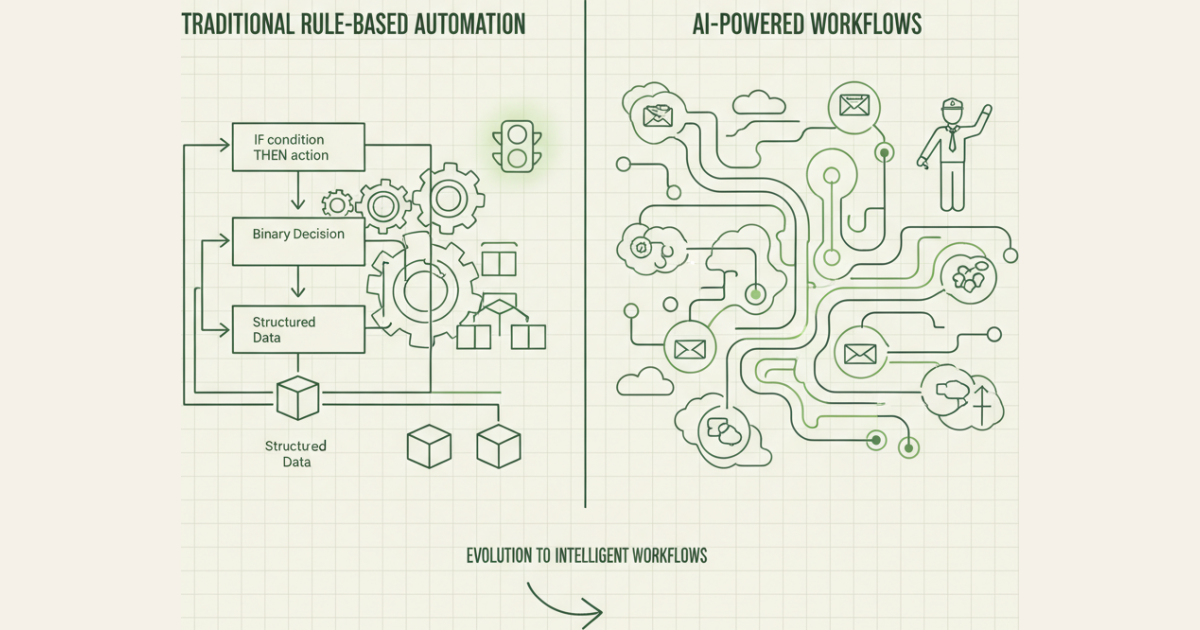
4. AI-Powered Workflows
Automation enhanced with artificial intelligence for decision-making and learning. Examples include intelligent lead scoring, automated customer support with chatbots, or dynamic pricing based on market conditions. Best for: Data-rich businesses ready for advanced automation.
5. Integration-Based Workflows
Connecting different software tools to share data and trigger actions across platforms. Examples include syncing customer data between CRM and email marketing tools, or automatically creating project tasks from sales opportunities. Best for: Businesses using multiple software tools.
Workflow Automation vs Manual Processes vs Scripts
| Aspect | Manual Processes | Custom Scripts | Workflow Automation |
|---|---|---|---|
| Setup Time | None | Hours to weeks | Minutes to hours |
| Technical Skills Required | None | High (coding) | None to low |
| Maintenance | Ongoing human effort | Regular code updates | Minimal |
| Error Rate | High (human error) | Low (if coded correctly) | Very low |
| Scalability | Poor | Good | Excellent |
| Cost | High (ongoing labor) | Medium (development time) | Low (subscription) |
| Flexibility | High | Medium | High |
| Speed | Slow | Fast | Fast |
Real-World Workflow Automation Examples
| Use Case | Industry | What Gets Automated | Time Saved |
|---|---|---|---|
| Lead Qualification | SaaS | Form submission → CRM entry → lead scoring → sales notification → follow-up sequence | 2 hours/day |
| Customer Onboarding | E-commerce | Purchase → welcome email → account setup → tutorial sequence → feedback request | 4 hours/week |
| Invoice Processing | Professional Services | Project completion → invoice generation → client delivery → payment tracking → follow-up | 6 hours/week |
| Social Media Management | Marketing Agency | Content creation → approval workflow → scheduled posting → performance tracking | 8 hours/week |
| Employee Onboarding | Any | Hire decision → contract generation → system access → training assignment → progress tracking | 12 hours/hire |
| Customer Support Triage | SaaS | Ticket creation → priority assignment → team routing → response templates → escalation rules | 3 hours/day |
Common Workflow Automation Misconceptions
❌ Myth: Workflow automation will replace all human jobs in my business.
✅ Reality: Automation handles repetitive tasks, freeing your team for strategic, creative, and relationship-building work that drives growth. Most businesses find they need the same number of people but can accomplish much more.
❌ Myth: You need technical skills or coding knowledge to implement workflow automation.
✅ Reality: Modern automation platforms use visual, drag-and-drop interfaces. If you can create a flowchart or use basic software, you can build workflows. Most platforms are designed specifically for non-technical users.
❌ Myth: Workflow automation is only for large enterprises with complex processes.
✅ Reality: Small businesses often see the biggest impact from automation because they have the most manual, repetitive work relative to their team size. Simple automations like email sequences or lead routing can transform a small business overnight.
The TRACE Workflow Maturity Model
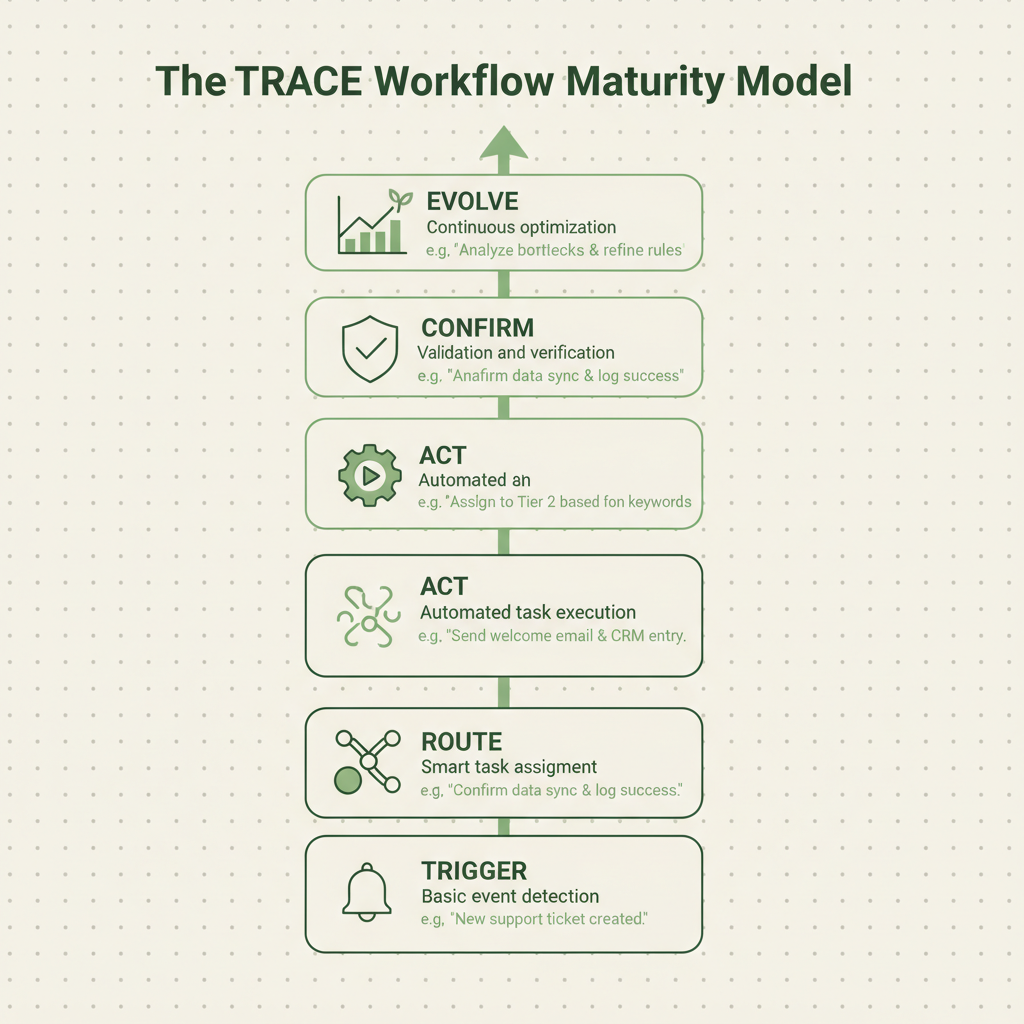
The TRACE Workflow Maturity Model shows the five progressive stages of automation sophistication.
We've developed the TRACE Workflow Maturity Model to help businesses understand their automation journey. Most successful companies progress through these five stages:
| Stage | Focus | Description | Example |
|---|---|---|---|
| Trigger | Reactive Automation | Automating simple, single-trigger tasks | Auto-reply emails, form notifications |
| Route | Process Routing | Directing information to the right people/systems | Lead assignment, support ticket routing |
| Act | Action Sequences | Chaining multiple actions together | Onboarding sequences, follow-up campaigns |
| Confirm | Quality Control | Adding approval steps and error handling | Manager approvals, data validation |
| Evolve | Intelligent Optimization | AI-powered decision making and continuous improvement | Dynamic lead scoring, predictive routing |
Most businesses start at Trigger and gradually work their way up. The key is not to skip stages — each builds the foundation for the next level of sophistication.
How to Build Your First Workflow in 5 Steps
1. Identify Your Biggest Time Drain
Look for tasks you do repeatedly that follow the same pattern. Common candidates: data entry, email responses, file organization, or status updates. Start with something that takes 15+ minutes and happens at least weekly.
2. Map the Current Process
Write down every step in your current manual process. Be specific: "Check email for new leads" → "Copy email to CRM" → "Send welcome email" → "Create follow-up task." This becomes your automation blueprint.
3. Choose Your Automation Platform
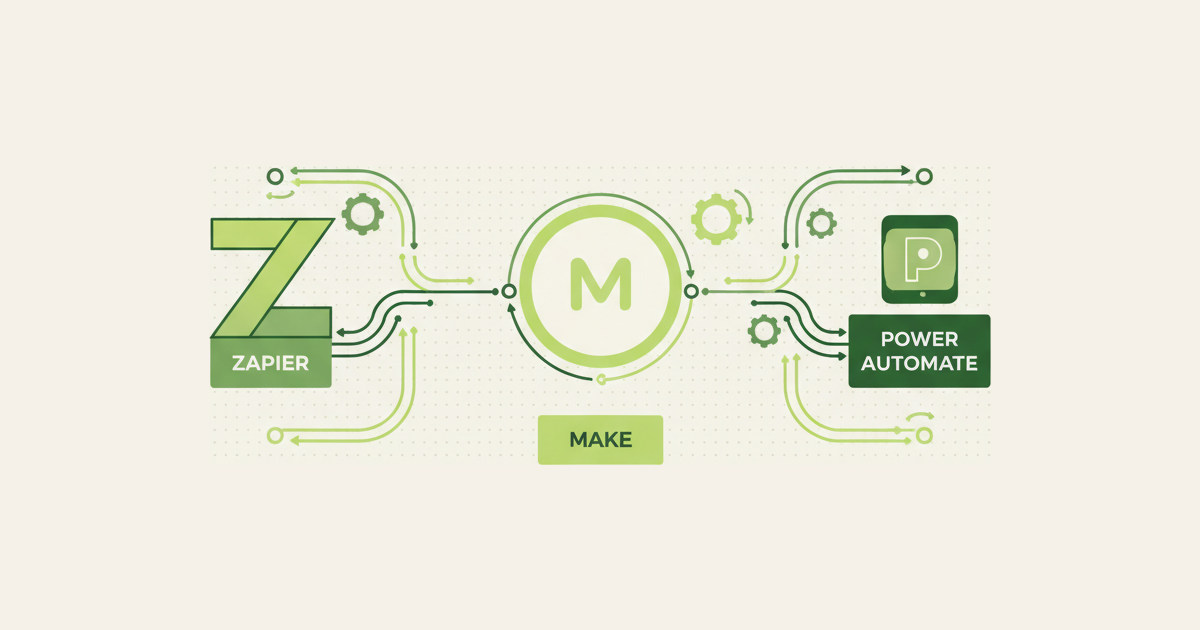
For beginners, we recommend starting with Zapier (connects 6000+ apps), Microsoft Power Automate (if you use Office 365), or Make.com (more advanced features). Most offer free trials to test your first workflows.
4. Build and Test Small
Start with a simple 2-3 step workflow. Test it thoroughly with sample data before going live. It's better to have a simple workflow that works perfectly than a complex one that breaks.
5. Monitor and Improve
Check your workflow weekly for the first month. Look for errors, missed steps, or opportunities to add more automation. Most workflows evolve over time as you discover new possibilities.
Ready to transform your business with workflow automation? Our team at Ideople helps non-technical founders implement their first workflows in under 30 days. [Subscribe to our newsletter] for weekly automation tips and case studies.
Frequently Asked Questions
What are the main benefits of workflow automation?
The primary benefits include significant time savings (3-5 hours per employee daily), reduced human errors, improved consistency, better customer experience, and increased scalability. Businesses typically see 300-400% ROI within the first year, with most workflows paying for themselves within 6 months through productivity gains and reduced manual labor costs.
How much does workflow automation cost?
Most workflow automation platforms use subscription pricing ranging from $20-100 per month for small businesses, scaling with usage and features. Popular platforms like Zapier start at $20/month, while enterprise solutions can cost $500+ monthly. However, the time savings typically offset costs within weeks of implementation.
Can small businesses benefit from workflow automation?
Absolutely. Small businesses often see the biggest impact because they have the highest ratio of manual work to team size. Simple automations like email sequences, lead routing, or social media posting can free up 10-20 hours weekly for a small team, equivalent to hiring a part-time employee.
What's the difference between workflow automation and RPA?
Workflow automation connects different software applications through APIs and integrations, while RPA (Robotic Process Automation) mimics human actions on computer interfaces. Workflow automation is easier to set up and maintain, while RPA is better for legacy systems that don't have modern integrations available.
How long does it take to implement workflow automation?
Simple workflows can be built in 15-30 minutes, while complex multi-step processes might take a few hours. Most businesses see their first automation running within a week of starting. The key is starting small and gradually building more sophisticated workflows as you gain experience and confidence.
Do I need technical skills to set up workflow automation?
No coding skills are required for modern workflow automation platforms. Most use visual, drag-and-drop interfaces similar to creating a flowchart. If you can use basic software and understand your business processes, you can build workflows. Many platforms offer templates for common use cases to get you started.
What happens if an automated workflow fails?
Modern automation platforms include error handling and notification systems. When a workflow fails, you'll receive an email alert with details about what went wrong. Most failures are due to temporary service outages or changed data formats, and workflows automatically retry failed steps. You can also build in backup processes for critical workflows.
How do I measure workflow automation ROI?
Track time saved (hours per week), error reduction (mistakes prevented), and cost savings (manual labor eliminated). Most businesses calculate ROI by comparing the monthly automation cost to the value of time saved (employee hourly rate × hours saved). Additional benefits include improved customer satisfaction, faster response times, and increased capacity for growth without hiring.
Rubal Gulati
Written by Rubal Gulati at Ideople. We build and run AI agents for our own business, then share what we learn.
Enjoyed this article?
Get AI automation insights delivered to your inbox. Start building with Ideople for free.
Get Started Free