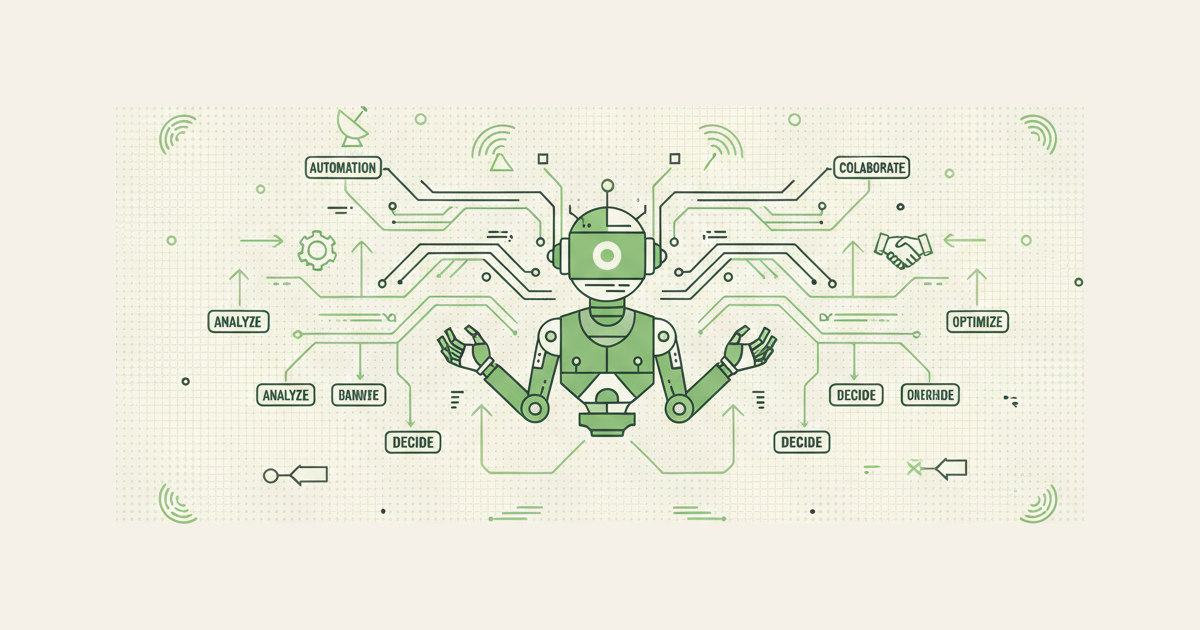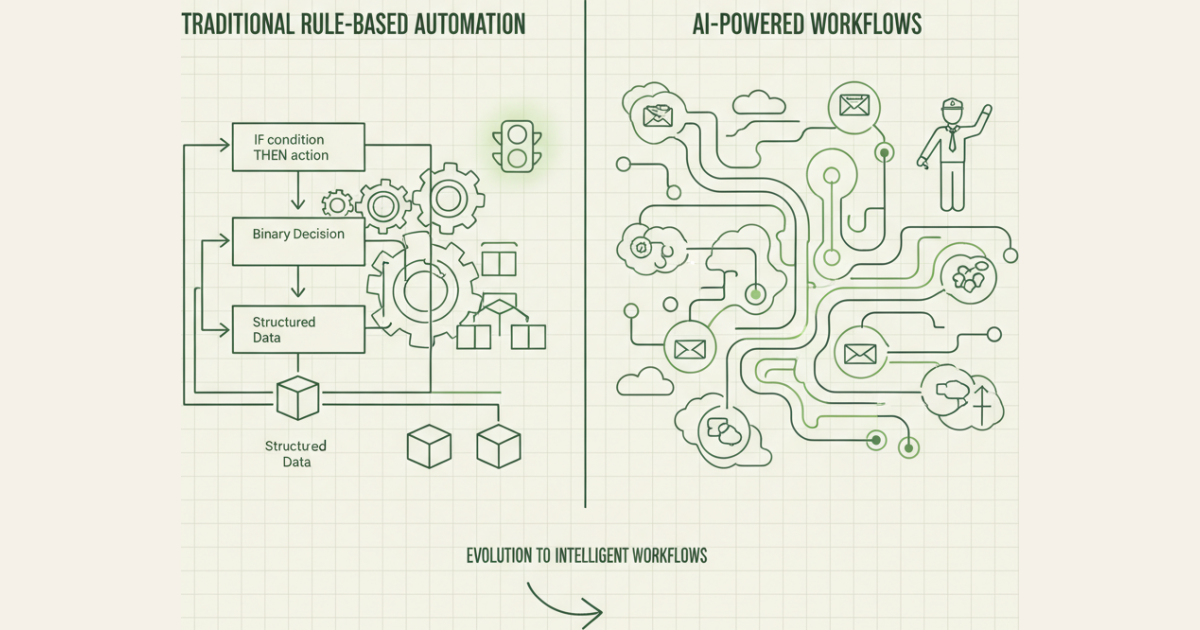
Modern AI workflow automation goes beyond simple if-then rules to make intelligent, context-aware decisions
What Makes a Workflow 'AI-Powered'?
AI workflow automation goes beyond simple trigger-action sequences. Instead of relying on predetermined rules, these systems use machine learning models to analyze data, understand context, and make intelligent decisions in real-time.
The key differentiator lies in how these workflows handle uncertainty. Traditional automation breaks when it encounters scenarios outside its programmed rules. AI workflows, however, can process unstructured data like emails, documents, or customer feedback, extract meaning, and determine appropriate actions based on learned patterns rather than explicit programming.
Think of it as the difference between a traffic light (rule-based) and a traffic cop (AI-powered). The traffic light follows a fixed schedule regardless of actual traffic conditions. The traffic cop observes the situation, interprets what's happening, and makes contextual decisions about when to stop or direct traffic flow.
AI-powered workflows incorporate natural language processing to understand human communication, machine learning algorithms to improve decision-making over time, and contextual reasoning to handle edge cases that would stump traditional automation. They can classify content, extract key information, predict outcomes, and even generate responses—all while learning from each interaction to become more accurate.
This intelligence enables workflows that can handle the messy, ambiguous real-world scenarios that make up most business processes, rather than just the clean, predictable tasks that rule-based automation excels at.
Rule-Based vs AI Workflow Automation
| Aspect | Rule-Based Automation | AI Workflow Automation |
|---|---|---|
| Decision Making | Fixed if-then logic | Context-aware reasoning |
| Data Handling | Structured data only | Structured + unstructured data |
| Adaptability | Manual rule updates required | Self-improving through learning |
| Ambiguity | Breaks on edge cases | Handles uncertainty gracefully |
| Setup Complexity | Simple trigger-action setup | Requires training data and configuration |
| Maintenance | High (constant rule tweaking) | Low (learns and adapts) |
| Best For | Predictable, repetitive tasks | Complex, contextual decisions |
| Examples | "If email contains 'urgent', flag it" | "Analyze email sentiment and context to determine priority" |
How AI Workflows Actually Work
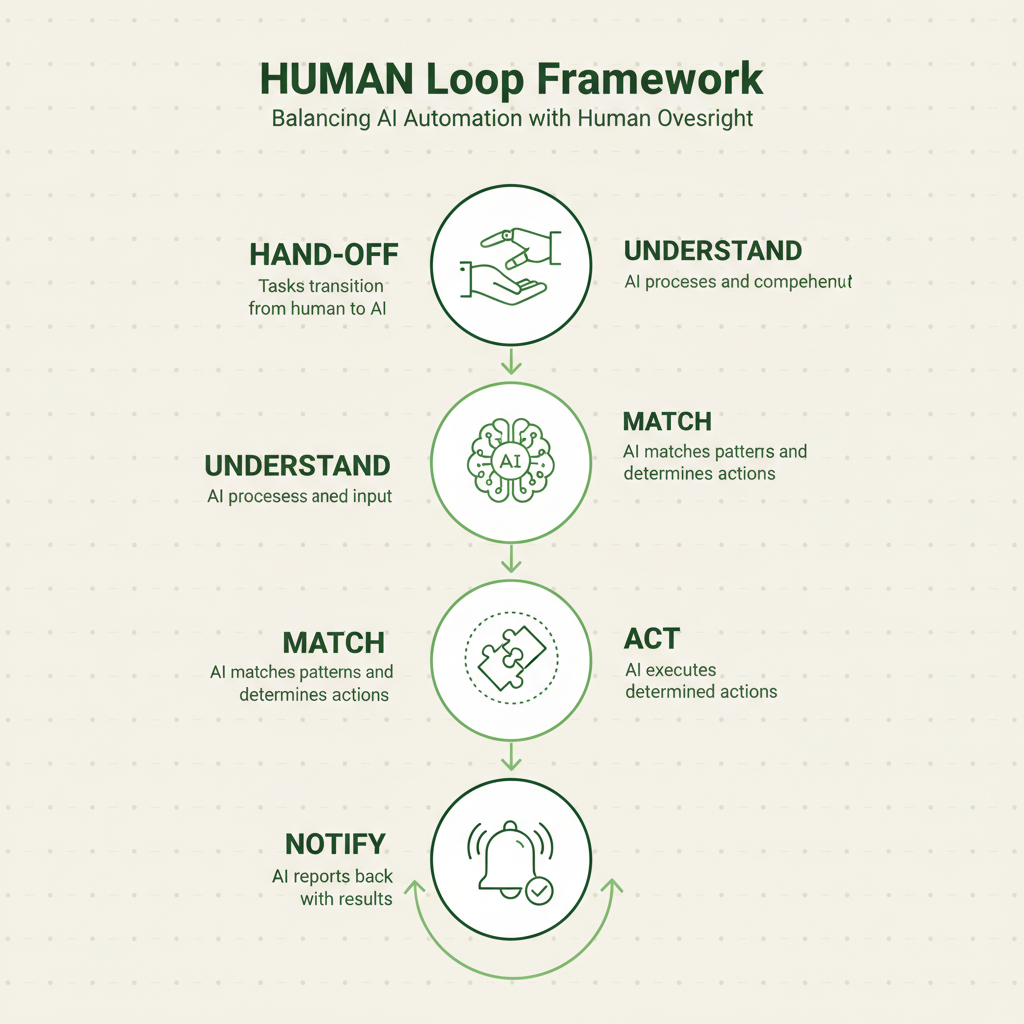
The HUMAN Loop framework defines the optimal balance between AI automation and human oversight.
Imagine AI workflows as having a digital brain that processes information like a skilled assistant. When a trigger occurs—say, a new customer support ticket arrives—the AI workflow doesn't just match keywords like traditional automation. Instead, it reads and comprehends the entire message, considers the customer's history, and determines the best course of action.
This intelligence comes from four core components working together:
Large Language Models (LLMs) serve as the comprehension engine, understanding natural language, extracting key information, and generating human-like responses. They can read emails, analyze documents, and interpret customer intent with remarkable accuracy.
Decision Logic goes beyond simple rules to incorporate contextual reasoning. Instead of "if priority equals high, then escalate," AI workflows can evaluate multiple factors simultaneously—customer tier, issue complexity, agent availability, and historical resolution patterns—to make nuanced routing decisions.
Integration Layer connects to your existing tools and databases, pulling relevant context from CRM systems, support platforms, and knowledge bases. This comprehensive data access enables more informed decision-making than isolated rule-based triggers.
Memory Systems allow workflows to learn from past interactions and outcomes. Unlike static automation that repeats the same actions indefinitely, AI workflows can identify patterns, recognize what works, and continuously improve their performance.
The magic happens when these components work together through what we call the HUMAN Loop framework—a systematic approach to balancing AI automation with human oversight.
6 AI Workflow Use Cases You Can Build Today
Smart Email Triage
Transform your inbox chaos into organized priority queues. AI workflows can analyze incoming emails for urgency, sentiment, and intent, automatically categorizing messages and routing them to appropriate team members. Unlike keyword-based filters, these systems understand context—recognizing that "I need this yesterday" from a enterprise client carries different weight than the same phrase from a free trial user. The workflow considers sender importance, email content complexity, and historical interaction patterns to assign accurate priority scores and suggested response times.
AI Lead Scoring
Move beyond demographic-based scoring to behavioral intelligence. AI workflows analyze lead interactions across multiple touchpoints—website behavior, email engagement, social media activity, and form submissions—to predict conversion likelihood. The system can identify buying signals that humans might miss, like specific page sequences that indicate purchase intent, or communication patterns that suggest decision-maker involvement. This dynamic scoring updates in real-time as new data arrives, ensuring your sales team focuses on the most promising opportunities.
Contract Analysis
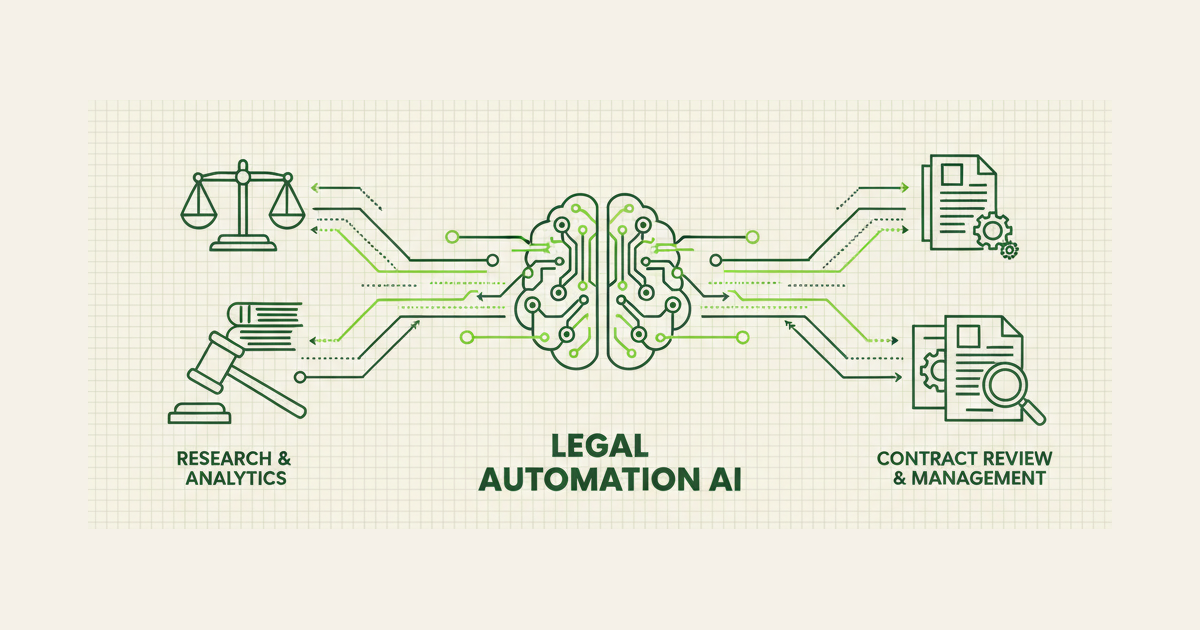
Accelerate legal review processes with intelligent document analysis. AI workflows can scan contracts for key terms, identify potential risks, and flag deviations from standard language. The system extracts critical information like renewal dates, payment terms, and liability clauses, automatically populating contract management systems. More sophisticated implementations can compare new contracts against your standard templates, highlighting unusual provisions that require human review while auto-approving routine agreements that meet predefined criteria.
Meeting Summarization
Convert hours of recorded meetings into actionable insights. AI workflows can transcribe conversations, identify key decisions, extract action items, and assign follow-up tasks to specific team members. The system understands context well enough to distinguish between casual discussion and firm commitments, creating structured summaries that capture both explicit decisions and implicit agreements. Integration with project management tools ensures action items automatically become tracked tasks with appropriate deadlines and assignees.
Customer Sentiment Routing
Route support tickets based on emotional context, not just keywords. AI workflows analyze customer communications for frustration levels, urgency indicators, and satisfaction signals, ensuring upset customers reach experienced agents while routine inquiries flow to appropriate channels. The system can detect escalation patterns—recognizing when a customer's sentiment is deteriorating across multiple interactions—and proactively route them to retention specialists before they churn.
Content Moderation
Scale community management with intelligent content review. AI workflows can analyze user-generated content for policy violations, spam indicators, and inappropriate material while understanding context and intent. Unlike simple keyword blocking, these systems recognize sarcasm, cultural references, and legitimate discussions that might contain flagged terms. The workflow can automatically approve clearly acceptable content, flag obvious violations for removal, and route borderline cases to human moderators with relevant context and suggested actions.
Real Implementation Example
TechFlow, a B2B SaaS company, struggled with lead qualification. Their Zapier automation routed leads based on company size and industry, but missed crucial context. A "startup" could be a two-person team or a well-funded company with 50 employees and enterprise needs.
They implemented an AI workflow that analyzes lead forms, website behavior, and enriched company data to create comprehensive lead profiles. When a lead submits a form, the AI workflow:
1. Analyzes the inquiry text for buying signals, urgency indicators, and technical sophistication
2. Enriches company data by pulling funding information, employee count, and technology stack from multiple sources
3. Scores engagement level based on website behavior, content downloads, and email interactions
4. Predicts deal size using similar customer patterns and stated requirements
5. Routes intelligently to appropriate sales reps based on territory, expertise, and current workload
The result? Lead response time improved by 60%, and conversion rates increased by 40% because qualified leads reached the right people faster, while lower-priority inquiries were handled efficiently through automated nurture sequences.
The AI workflow learned from outcomes, gradually improving its scoring accuracy. After six months, it could predict which leads would close within 30 days with 85% accuracy—something their rule-based system never achieved.
Common Misconceptions
Myth: AI workflows will replace all human decision-making
Reality: The most effective AI workflows enhance human judgment rather than replace it. The HUMAN Loop framework ensures critical decisions remain with people while AI handles routine analysis and recommendations. Humans excel at creative problem-solving, relationship building, and ethical considerations that AI cannot replicate.
Myth: AI workflows are too complex for small businesses
Reality: Modern AI workflow platforms offer user-friendly interfaces and pre-built templates that make implementation accessible. Many solutions require no coding and can be configured through visual builders similar to Zapier or Make. The key is starting with simple use cases and gradually expanding complexity as you gain confidence.
Myth: AI workflows are unreliable and make too many mistakes
Reality: Well-designed AI workflows often outperform human consistency, especially for repetitive tasks requiring pattern recognition. The key is proper training, clear success metrics, and appropriate human oversight. Unlike humans, AI workflows don't have bad days, get distracted, or forget procedures—they apply learned patterns consistently across thousands of decisions.
How to Upgrade Your First Rule-Based Workflow to AI
Step 1: Identify Your Most Frustrating Rule-Based Workflow
Look for automations that require constant tweaking, break frequently, or miss important edge cases. Common candidates include lead scoring, email classification, or content routing workflows that rely heavily on keyword matching or rigid criteria.
Step 2: Audit Your Current Logic
Document all the rules, exceptions, and manual interventions your current workflow requires. This reveals the complexity that AI can handle more elegantly. Pay attention to scenarios where you think "I wish it could just understand what this person really means."
Step 3: Gather Training Data
Collect examples of inputs and desired outputs from your current process. For email classification, this might be 200-500 emails with their correct categories. For lead scoring, gather leads with their eventual outcomes. Quality matters more than quantity—accurate examples teach AI workflows better patterns.
Step 4: Design Your HUMAN Loop
Determine where human oversight remains essential versus where AI can operate independently. Define confidence thresholds—when should the AI workflow proceed automatically versus flag items for human review? This balance ensures reliability while maintaining efficiency.
Step 5: Implement and Monitor
Start with a pilot implementation handling a subset of your workflow volume. Monitor accuracy, identify improvement opportunities, and gradually increase AI autonomy as performance proves reliable. Ready to upgrade your workflows with AI intelligence? Let's discuss how Ideople can help you implement smarter automation that actually understands your business context.
FAQ
What's the difference between AI workflow automation and regular automation?
Regular automation follows fixed if-then rules and breaks when encountering unexpected scenarios. AI workflow automation uses machine learning to understand context, handle ambiguity, and make intelligent decisions based on patterns rather than rigid programming. It can process unstructured data like emails or documents and adapt to new situations without manual rule updates.
Can AI workflows replace all my Zapier automations?
Not necessarily, and that's not always the goal. Simple, predictable tasks often work perfectly with rule-based automation and don't need AI complexity. AI workflows excel where you need contextual understanding, pattern recognition, or handling of ambiguous inputs. The best approach combines both—using traditional automation for straightforward tasks and AI for complex decision-making.
How much does AI workflow automation cost compared to rule-based tools?
Initial setup costs are typically higher due to configuration and training requirements, but operational costs often decrease over time. AI workflows reduce manual intervention, minimize errors, and scale more efficiently than rule-based systems that require constant maintenance. Most businesses see ROI within 3-6 months through improved accuracy and reduced manual work.
What data do AI workflows need to make decisions?
AI workflows need examples of inputs and desired outputs to learn patterns. For email classification, this might be 200-500 emails with correct categories. For lead scoring, you'd need historical leads with their outcomes. The data should represent the variety of scenarios the workflow will encounter. Quality and relevance matter more than sheer volume.
How do I know if my workflow needs AI or if rules are enough?
Choose AI when you frequently think "I wish this automation could understand context" or when you're constantly updating rules for edge cases. If your current automation requires regular manual intervention, breaks on unexpected inputs, or misses nuanced decisions that humans handle easily, AI workflows can likely improve the process significantly.
Can AI workflows integrate with my existing tech stack?
Yes, modern AI workflow platforms offer extensive integration capabilities, often exceeding traditional automation tools. They can connect to CRMs, email platforms, databases, and APIs just like rule-based automation, but with the added ability to intelligently process and route data between systems based on content analysis rather than simple field matching.
What happens when AI workflows make mistakes?
Well-designed AI workflows include confidence scoring and human oversight mechanisms. When confidence is low, items are flagged for human review rather than processed automatically. Mistakes become learning opportunities—the system can be corrected and will apply that learning to future similar scenarios, gradually improving accuracy over time.
How long does it take to implement AI workflow automation?
Simple implementations can be live within days, while complex workflows might take 2-4 weeks. The timeline depends on data preparation, integration complexity, and testing requirements. Unlike rule-based automation that works immediately but requires ongoing maintenance, AI workflows need initial training time but become more autonomous and reliable over time.
Rubal Gulati
Written by Rubal Gulati at Ideople. We build and run AI agents for our own business, then share what we learn.
Enjoyed this article?
Get AI automation insights delivered to your inbox. Start building with Ideople for free.
Get Started Free